WellMatch2.2.0
Publisher Description
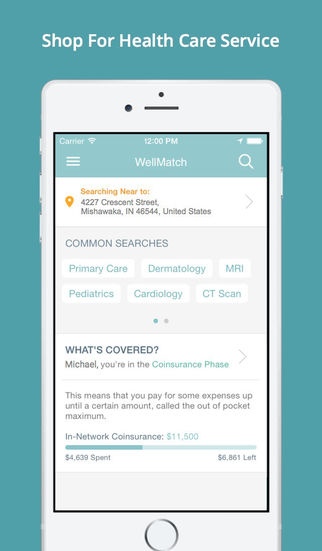
WellMatch for iPhone helps you choose doctors and facilities based on their cost, quality and convenience. You can also track how much you've paid toward your deductible and get an accurate estimate of your out-of-pocket costs.
Key features include:
- Procedure and Lab Pricing: get accurate estimates on thousands of procedures and lab tests.
- Quality Ratings: see how doctors and facilities have been rated by other patients.
- Map View: choose doctors and facilities based on location.
- Benefit Tracking: keep on eye on your spending and estimated out-of-pocket costs.
- Plan Details: see your insurance plan details in an easy-to-read format.
- Trending Searches: price popular procedures and specialties in seconds.
Please note: WellMatch for iPhone is only available to employees of companies who have access to WellMatch.
Requires iOS 7.0 or later. Compatible with iPhone, iPad, and iPod touch.
About WellMatch
The company that develops WellMatch is Managed Care Coordinators, Inc.. The latest version released by its developer is 2.2.0.
To install WellMatch on your iOS device, just click the green Continue To App button above to start the installation process. The app is listed on our website since 2014-09-26 and was downloaded 1 times. We have already checked if the download link is safe, however for your own protection we recommend that you scan the downloaded app with your antivirus. Your antivirus may detect the WellMatch as malware if the download link is broken.
How to install WellMatch on your iOS device:
- Click on the Continue To App button on our website. This will redirect you to the App Store.
- Once the WellMatch is shown in the iTunes listing of your iOS device, you can start its download and installation. Tap on the GET button to the right of the app to start downloading it.
- If you are not logged-in the iOS appstore app, you'll be prompted for your your Apple ID and/or password.
- After WellMatch is downloaded, you'll see an INSTALL button to the right. Tap on it to start the actual installation of the iOS app.
- Once installation is finished you can tap on the OPEN button to start it. Its icon will also be added to your device home screen.
